Some deliveries may take a little longer than usual due to regional shipping conditions.

DOWNLOAD THE APP


Customer Services
Copyright © 2025 Desertcart Holdings Limited
DOWNLOAD THE APP


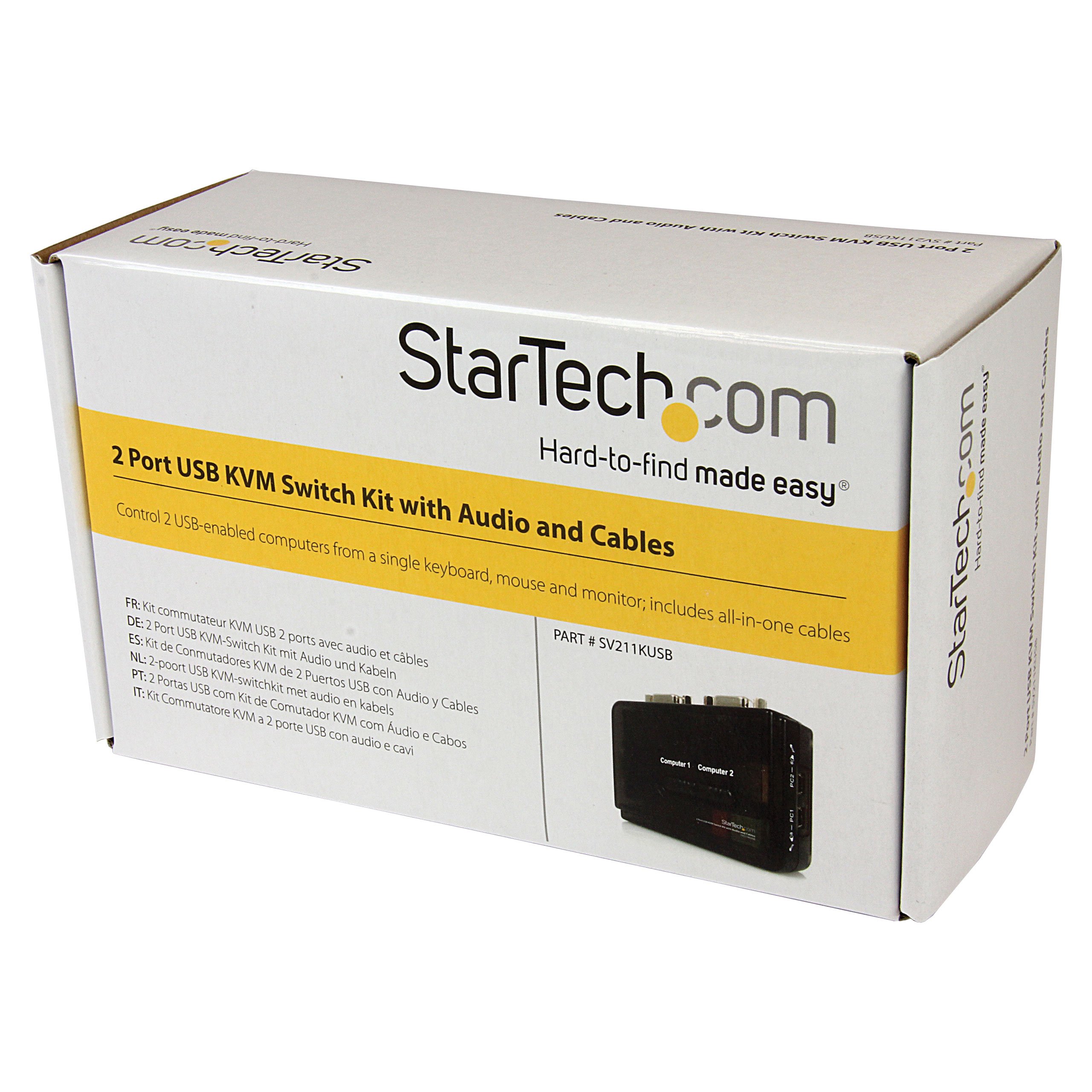
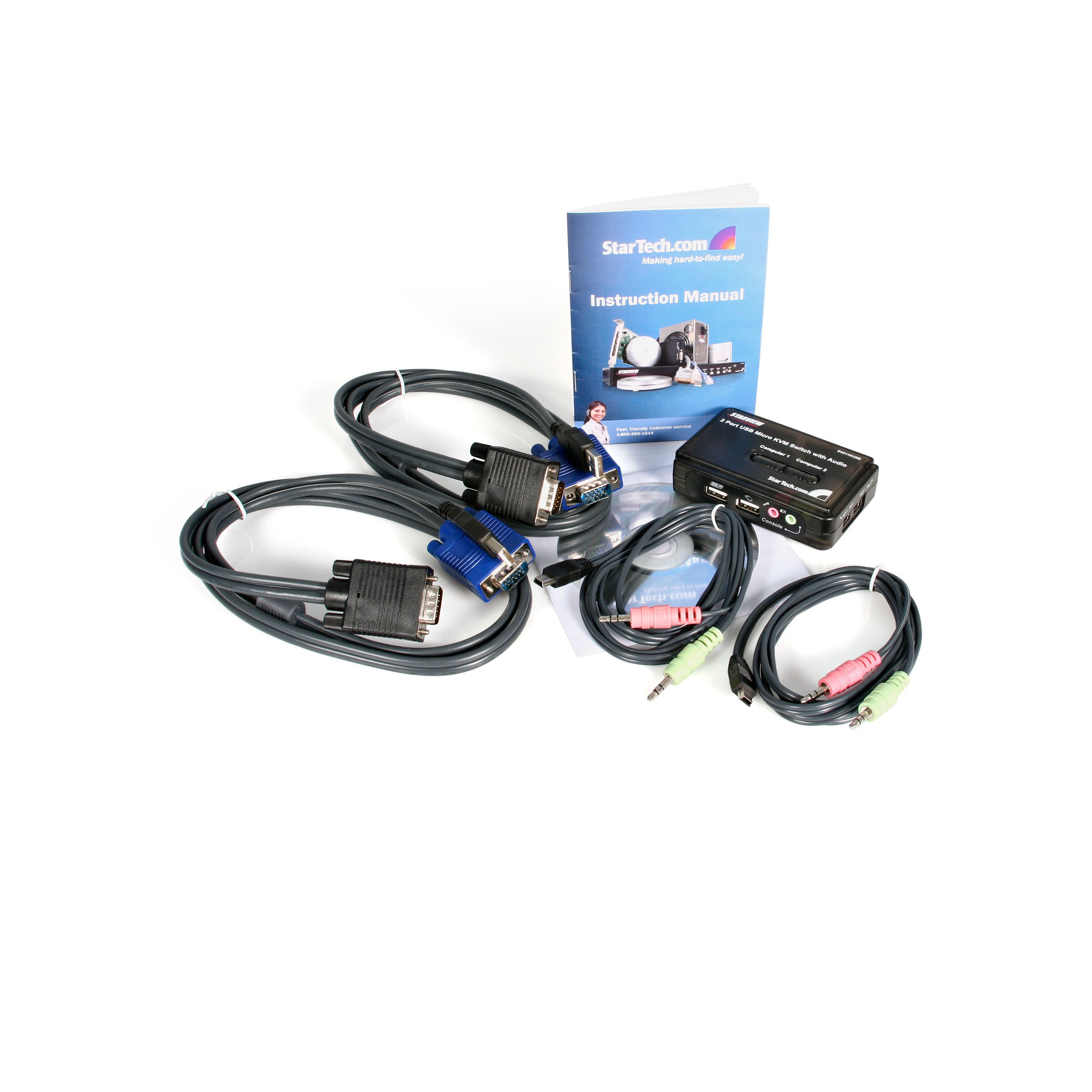
🎯 Master your workspace with seamless dual-PC control!
The StarTech.com SV211KUSB is a compact 2-port USB VGA KVM switch that enables professionals to control two USB-enabled computers with a single keyboard, mouse, and monitor. Supporting high-resolution VGA output up to 2048x1536 at 60Hz and integrated audio switching, it offers power-free operation by drawing power from connected devices. Included premium cables and hotkey or push-button switching make it an efficient, clutter-reducing solution ideal for multitasking managers seeking streamlined workspace control.


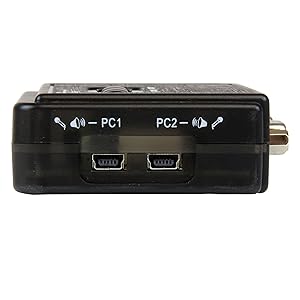

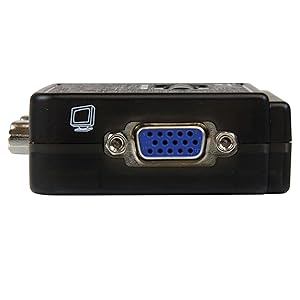
| ASIN | B000HVFCFA |
| Batteries | 1 AAAA batteries required. |
| Best Sellers Rank | #1,131 in KVM Switches |
| Brand | StarTech.com |
| Color | Black |
| Computer Memory Type | DDR3 SDRAM |
| Customer Reviews | 3.8 3.8 out of 5 stars (289) |
| Date First Available | August 19, 2006 |
| Is Discontinued By Manufacturer | No |
| Item Dimensions LxWxH | 3.8 x 3.8 x 0.8 inches |
| Item Weight | 3.31 ounces |
| Item model number | SV211KUSB |
| Language | English |
| Manufacturer | StarTech.com |
| Number of USB 2.0 Ports | 2 |
| Power Source | Usb-powered |
| Product Dimensions | 3.8 x 3.8 x 0.8 inches |
| Series | 2 Port USB KVM Kit with Cables and Audio Switching |
| Voltage | 240 Volts |
E**T
Decent product, no linux drivers needed if using current distro
Unit works well and the included cables were all of decent quality. This product DOES NOT include any Linux or OSX drivers. Not really a big problem, just use the manual switches on the top of the device. IMPORTANT UPDATE! After performing usual updates on the two Linux-based PC's that I am using with this KVM switch, the NUMLOCK key started working to switch the device between the two PC's. 5 STARS
M**L
Works decently well
For the price, this works well enough for my uses. There are a couple gotchas though, that prevent it from getting 5 stars: - The connector layout is not well thought out; but this is not a major issue. - The included cables are DVI-I (and only 4 ft long), but you can use standard DVI-D cables in their place. Note that doing so will remove your ability to switch audio, as the audio cables from the computer are built into the DVI-I cables they provide. I did not want to use that feature anyway, so it was not a loss for me, but it could be a deal breaker for some. - The included software, and indeed the software on Startech's website, does not work - not on Windows, and not on Mac OS X. the default hotkey sequences specified in the manual do indeed work, however, so again this is not a huge loss. - In order for my Mac to detect the keyboard, the KVM must be set to the Mac's port while it boots up, no exceptions that I have yet discovered. Windows does not seem to care one way or the other. Now, despite those problems, I will say that it does an exceptional job otherwise; it provides EDID/DDS passthrough which means your computers will detect the proper display resolutions advertised by your monitor. This is not something Startech advertises about this product. I have only had this thing for a couple days at this point, so I will update this review in a couple months with any further insights I can offer. EDIT THE FIRST (8/23/2012): I have come across a couple of issues and fixes for them here, as well as some additional details. - I was having my Windows PC (PC1) disconnect the USB devices when the KVM was on PC2. A simple fix here: disable power management on the "USB Root Hub" devices in Device Manager. This prevents Windows from shutting down power to the USB ports. - My Linux laptop at first was having issues with the keyboard plugged into the KVM. I discovered that in order for the keyboard to work with Linux, at least in my case, is to plug the keyboard into the *top* USB port on the KVM, and the mouse into the *bottom* USB port. I have had zero issues with it since then. Additionally, I have discovered that since I have Logitech SetPoint installed on my Windows PC, it recognizes my G700 through the KVM with no issues. This was a pleasant surprise! Additionally, I plugged the charging cable into the "shared USB hub" on the KVM and it works perfectly whether plugged in or on its own power.
N**C
AN AMAZINGLY SIMPLE AND TOTALLY AWESOME LITTLE KVM !
1 Easy to set up 2 Clearly packed, booklet that clearly illustrates the ports on the unit 3 Tech Support is -GREAT!!!!! easy to reach - reliable and smart and helpful 4 Screen resolution - same as before i had the box on the setup... 5 All my peripherals ( plus one huge mac display ) work on a Mac and a PC ! 1 + 2 + 3 + 4 +5 = Happiness!!!! thank you StarTech !
F**S
Not good choice for CLI / text only boxes
This device does NOT work well with command line interface (CLI) only setups. It needs a graphical interface at bootup for the KVM to recognize the machine. I have a home lab with 2 FreeBSD machines. I am on CLI vast majority of the time. This device does not see the computer after bootup. Have to unplug everything, connect screen and keyboard directly to computer, bootup and only then connect back the cables to the KVM. Given that this is a lab setup and I am always testing / rebooting / changing things around the KVM does not work well at all. I ended up connecting only the keyboard and mouse and manually changing the monitor cable around. Contacted support and they confirmed this is a known issue for this model. They recommended I purchase a different model of theirs which costs over $300.
A**E
Great with gaming keyboard
I have been looking for a KVM that works with a gaming keyboard. This KVM works with my Corsair K70 Cherry MX Red keyboard. My previous KVM did not work. This KVM has both soft hotkey, ie keyboard, as well as a button on the KVM. It also had microphone jacks, which is nice as well. Plus, it is reasonably priced!
J**A
Junk
Only port 1 would work and the device would not switch which renders this device useless. I also suspect that this device fried one of the inputs to a brand new View Sonic monitor, but I cant prove it. I suspect this because the port on the monitor worked before it attempted to use this KVM, but no longer functions. Belkin or IO Gear are much better options if you are looking for a decent KVM, I have experience with both and am returning this paper weight and buying an IO Gear.
I**Y
Works very well but...
It switches between the PC's without issue but my gripe is with the placement of the DVI connections which is very bad and awkward. It's not even remote control! So why configure them in such a way??? I bought it a while ago but until today I decided to hook it up. With the awkward configuration you have to think of creative ways for placing it around your desk; especially since the DVI cords aren't very long. At my job they use this brand but that version (VGA) has all connections in the back. So... What happened with this one Star Tech??? Anywhere else I place the switch will make it annoying to reach. I don't give it all 5 stars because of the physical placement of the connections.
D**L
Lo tengo conectado a 2 portátiles con windows 11. No los uso de foma simultáneamente, necesitaba este adaptador para poder usar uno u otro sin andar cambiando todas las conexiones diariamente. tengo teclado y ratón inalámbricos (puerto de teclado) y unos pequeños altavoces que se alimentan por USB (puerto de ratón) conectados al adaptador y ambos ordenadores funcionan perfectamente sin ningún problema.
T**A
Sarò sincero quando l'ho ordinato speravo che questo apparecchio funzionasse bene nonostante il prezzo basso e molto interessante , sopratutto che riuscisse a risolvermi il problema di mantenere allacciati contemporaneamente i miei 2 PC , ossia quello vecchio con quello nuovo appena acquistato. Devo dire che nonostante sia uno "scatolino" mi ha sorpreso in positivo , appena installato con tutti i suoi cavi annessi era tutto perfettamente collegato e tutto funzionante , sia la tastiera , il mouse , l'audio e sopratutto quello con cui avevo più ceticismo ossia la parte video, tutto ottimo e switchciabile , oserei dire perfetto , contentissimo di questo portentoso piccolo apparecchio , é riuscito a stupirmi , specialmente guardando i prezzi molto più costosi di altri suoi concorrenti , lo consiglio vivamente a chi volesse acquistarlo !
A**N
J'étais un peu sceptique, et pourtant, ça marche TRES BIEN ! D'un coté, un PC1 avec GTX560Ti / adaptateur DVI-I-VGA, de l'autre un PC2 avec une carte graphique intégrée (Intel HD4000 / Core i3 3225 / VGA) Au niveau clavier/souris, des périphériques pas forcément "basiques" = un Logitech G15 et une Razer SWTOR.... Et pourtant, tout fonctionne parfaitement = les drivers spécifiques des périphériques, l'écran LCD du G15 .... En connectique c'est simplissime => on branche clavier + souris + audio + ecran sur le boitier, et on dispose de 2 cables [1 VGA + 1 USB] pour chaque PC (une prise USB suffit donc pour dupliquer clavier+ souris) Petit bug minime mais pas surprenant : j'ai du forcer la résolution sur un des 2 PC (1680x1050 dans mon cas) sinon il revenait en 800x600 de temps en temps. Le VGA ne "bave" pas (ou alors vraiment A PEINE et en scrutant l'écran) ; je précise que mon cable VGA "principal" est d'excellente qualité.
M**N
My desktop consists of a laptop PC running Vista, and an Apple MacBook running OS X Snow Leopard. Using this box, I use one keyboard, one monitor, and one mouse to use each computer, one at a time. Each computer has its lid closed, which is sometimes called "clamshell" mode. Because the software that ships with the box is only compatible with Windows, this only means that you have to use the switches on the top of the box to switch from Mac to PC. If you wanted to connect 2 PCs instead, you could use the hotkey on your keyboard to switch between the two, without using the physical switches. The only problem I found was that the picture from the MacBook would always appear about an inch offset to the right on my monitor, each time I switched the box to the Mac. I corrected this initially by pressing the "AUTO" button on my monitor, so that the picture moved to the correct place on the screen. However, I found that the resolution wasn't as good as on the MacBook itself. To solve these 2 problems, I bought another cable that connects the Mac monitor output (DVI mini connector) directly to my monitor's DVI input (my monitor has both VGA and DVI inputs, luckily), so I'm not routing the Mac's video through the box at all. Using this cable, the picture always appears in the correct place on the screen, and the resolution is much better - in fact, it's a perfect picture. As the KVM box is now only being used for one monitor input, I could have then connected the monitor's VGA input directly to the PC, but this would have meant manually switching the monitor every time when going from Mac to PC or from PC to Mac. As I have it set up, the monitor automatically switches to the Mac when I press the "Mac" switch on the box, because the box is switching through nothing to the monitor's VGA input, and in these circumstances, the monitor is clever enough to switch to its DVI input. When I press the "PC" button, the mouse and keyboard are switched, but I need to press the "INPUT" button on my monitor to select the VGA input from the PC. This setup is not ideal, but it works well. The box itself is compact and easy to set up. There is a decent 2-page PDF manual on the disk that explains how to use it. I don't think the manufacturer's spec mentions this, but each switch contains a green LED that flashes while switching is going on (about a few seconds) and then lights solidly to show you which computer is selected. This is the best setup for running a Mac and a PC with minimum desk clutter. One final note for people who are hoping to use an existing USB keyboard with a Mac: you may find some of the keys don't work as expected (or do nothing at all). You may be able to find a software solution to this on your Mac, or you may end up (like I did) buying an external Mac keyboard instead.
A**G
Works as expected, USB powered, no external power required. It would be GREAT to have an ON/OFF button though, cuz it is not always being used 100% of the time. An ON/OFF button could possible extend its life span by a lot. Just a thought. Nevertheless, great compact KVM that just works.
Trustpilot
5 days ago
3 weeks ago