
DOWNLOAD THE APP


Customer Services
Copyright © 2025 Desertcart Holdings Limited
DOWNLOAD THE APP
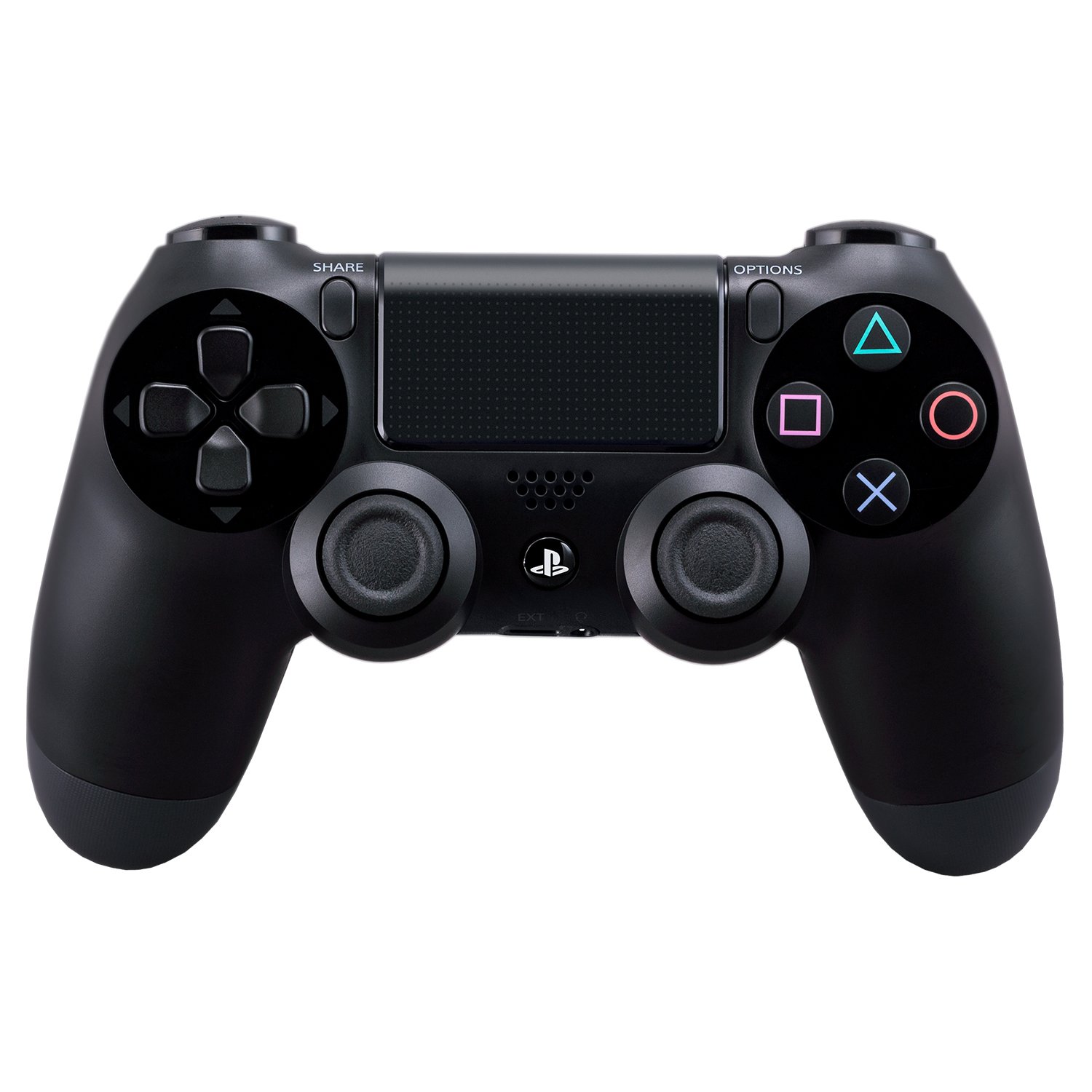

🎮 Own the game, share the glory, and never miss a beat!
The DualShock 4 Wireless Controller for PlayStation 4 redefines gaming precision with enhanced analog sticks and triggers, a dedicated Share button for instant content sharing, and innovative features like a touchpad, light bar, and built-in speaker. Its 3.5mm audio jack supports private listening, while convenient micro-USB charging ensures uninterrupted wireless play. Compatible with PS4 and PC (with setup), it’s the essential tool for serious gamers craving control and connectivity.


| ASIN | B00BGA9X9W |
| Batteries | 2 AAA batteries required. |
| Best Sellers Rank | #15,842 in Video Games ( See Top 100 in Video Games ) #102 in PlayStation 4 Gamepads & Standard Controllers |
| Customer Reviews | 4.7 4.7 out of 5 stars (6,793) |
| Date First Available | February 16, 2013 |
| Is Discontinued By Manufacturer | No |
| Item Weight | 11.8 ounces |
| Item model number | 10037 |
| Manufacturer | Sony PlayStation |
| Product Dimensions | 2.5 x 6.75 x 7.25 inches; 11.84 ounces |
| Rated | Rating Pending |
| Release date | November 15, 2013 |
| Type of item | Video Game |
J**G
Great controller to use on platform and pc gaming
The functionality of this controller is great and the quality could not be less.
M**R
This Will WORK WIRELESS on DESKTOP PCs Running WINDOWS 8.1 (64-Bit)
This is the best playing and best feeling gaming controller on the market, and yes, you can use it wirelessly (via Bluetooth) on a desktop PC running Windows 8.1. There are many tutorials on the internet that explain how to do this, but 4/5 methods I found and used completely failed. Most were intended for Windows 7 users. My rating for this controller is 5 stars because it is an outstanding contoller. The remainder of my review will be a quick tutorial on how to get it working quickly and easily any time you want to use it, without messing with your computer's settings or opening up the command prompt- so read on only if you want to know how to get it working on Windows 8.1 64-bit. If you have a somewhat newer laptop, you almost certainly have Bluetooth. If you have a desktop, there's a good chance you don't. Either way, open the control panel. Everything should be alphabetical, if you don't see a Bluetooth setting, you need a dongle to use the controller wirelessly. They're pretty cheap, but many aren't compatible with Windows 8+. This one worked for me and arrived in 2 days to Southern California, (with the "standard shipping" option), shipped in the same box as the controller I had purchased simultaneously: http://www.amazon.com/gp/product/B00EW3WS9M/ref=oh_aui_detailpage_o00_s00?ie=UTF8&psc=1 Install the Bluetooth software with the USB dongle plugged in. (I disabled most of the startup entries associated with the aftermarket Bluetooth and had no issues with it working properly afterwards). Bluetooth: Check. Next you need to download the latest XBox 360 device drivers for Windows. Microsoft will tell you that no further software is needed for Windows 8.1. Disregard and download the XBox 360 drivers for Windows 7 64-Bit and install. (You're free to disable the Xboxstat.exe startup entry). If you've researched this at all, you've probably heard that you need DS4Windows, (now know as "Inputmapper"), to get this to work. You don't. So don't download that program and don't donate money to make their ads go away. It's unnecessary and doesn't work, (in my experience), when the remote is wireless on 8.1. However, you DO need to download special software. Download the files needed here: [...] Open the zip folder and extract the entire "ScpServer" subfolder to C:\Program Files (x86). Plug in the Dualshock 4 controller via USB to Micro USB cable. (The same one you charge Android, and some Blackberry, phones with). Order one of those as well if you don't have one. Watch this video and follow all the steps up to 4:55 (STOP there as he makes the process overly complicated): [...] If you followed the aforementioned steps carefully, then all you should have to do to connect the Dualshock 4 to your Windows Bluetooth is hold down the Playstation button for a few seconds. It will blink a once or twice before Windows recognizes it. When the main light on the Dualshock 4 lights up red, your device is connected and should be recognized by your games. The downside to following this method is that your Bluetooth device will ONLY work for the Dualshock 4 controller, (it will no longer work for Bluetooth headphones, etc.). Also, games will think that you are using an X-Box controller, so when controller buttons are shown on screen, they will appear as X/Y/B/A instead of ⬛/🔺/X/🌑, and the main LED light will not change colors based on the game as they do when connected to a PS4.
T**Y
Possibly the best controller I've ever used.
I touched on the DS4 in my PS4 review, but I think it's fair that I reiterate my favorite features here, since I purchased a 2nd controller, and my favorite feature really shows itself when you have more than one. it is a remarkable improvement to the PlayStation controller line. My fiance is incredibly impressed by how comfortable it is, and the fact that we both agree - even me with my large mitts - shows how much effort was put into the ergonomics of the controller. The weight and size feels perfect, and really does the system as a whole justice. One really neat feature, that gets glanced over in some reviews, is the ability to plug any standard headphones into the controller and pump all of the system audio through the controller, wirelessly. No delay, either. I've been using my iPhone earpods (later version), and the quality is great. Microphone works well too. When not using the headphones, the speaker on the controller adds a layer of depth to games like Knack and Resogun that is a real treat. One really awesome feature that we didn't realize from all of the pre-release reviews is that each controller can be assigned to a user, and that user can be connected to a PSN account. Whenever you turn on a controller, it asks "who's using this controller?". Which ever account you pick, that person will log in. In a game like Knack, both me and my roommate have our own PSN accounts and are both logged in. Depending on which controller is used to launch the game, that user is the primary player and is playing to earn trophies on their profile. Each user, though, has their own "home screen", meaning at any time I can press the PS button on the controller and go to MY home screen, see my friends, change my settings, etc. During this time my roommate can't interact with the screen - it's my home screen after all. We can hop back into the game quickly, or he can press the PS button on his controller and go into his homescreen, where he gets to interact with his friends, change his settings, etc. Because we're both logged in, the status of both of our accounts is "Playing Knack". It's a fantastic way to utilize the account system and tie it directly with a controller. If we're playing with his game save, and he is earning trophies for his account, as soon as he wants to stop, he can end the game and put his controller down and I can go to my homescreen with the PS button and launch a new game. I am instantly using my account and earning trophies for me, now, without having to log out of the system first or changing which controller is "Controller 1". It is one of the stand out features of the system for us. Having used several controllers over the past 20+ years, the DS4 is my favorite. It's obvious why as soon as you hold it in your hands. And having an extra one for your console really shows of Sony's attention to detail with the PS4.
O**A
Lo he comprado principalmente para jugar en PC, basicamente puedo jugar a cualquier juego que sea compatible con el 360 gracias a un software de tecereros, muy facil de instalar y usar. La verdad que siempre he sido de Playstation, cuando jugaba en consola tuve todas las Playstation, descontanto la PS4. y ahora que he usado a PC como plataforma principal para jugar, vi la necesidad de tener un mando para algunos tipos de juego como Lucha, sandox en tercera persona, entre otros. Y parte de que he sido de PS toda mi vida, me hizo hacer totalmente a un lado al mando de Xbox One. Bueno, el DS4 esta muy bien construido, veo totalmente positiva la evolucion del DS3 al DS4, no es que tenga manos enormes, pero el DS3 me parece un poco pequeño, cosa que en el DS4 arreglan, la sensacion de los gatillos laterales es muy buena, como un gatillo se deberia de sentir. Los joysticks son sensacionales, amo la forma en la que están posicionados, cabe destacar que en PC puedes cambiar el color del LED posterior a tu gusto, me pareció excelente para poder hacer que combine con mi teclado y mouse. y lo mejor de todo es que te sirve para jugar con el PS3, lo unico malo es que el boton de PS no sirve en PS3 :/ Para conectarlo al PC cualquier cable tipo micro usb te servira, pero recuerda que el cable tiene que tener la capacidad de enviar y recibir datos. Tambien lo puedes conectar inalambricamente via bluetooth, si tu PC no tiene bluetooth puedes comprar un dongle bluetooth, los cuales no son muy costosos y te servira bien con eso. Creo que no me queda nada mas que decir por parte del mando, solo hablare del servicio de Amazon, lo pedi por amazon via importacion. con envió gratis y todo salio muy bien, llego antes de lo esperado, muy buen servicio. Ya habia ordenado un SSD en el pasado de la misma forma y también, todo excelente.
G**T
Good product🤘
S**.
The product is delivered with no packaging, just the controller in a box with no accessories, and the left joystick doesn't work
E**A
Ottimo veramente
V**A
It said free delivery but there is actually a fee which wasn't on the information
Trustpilot
3 days ago
2 days ago